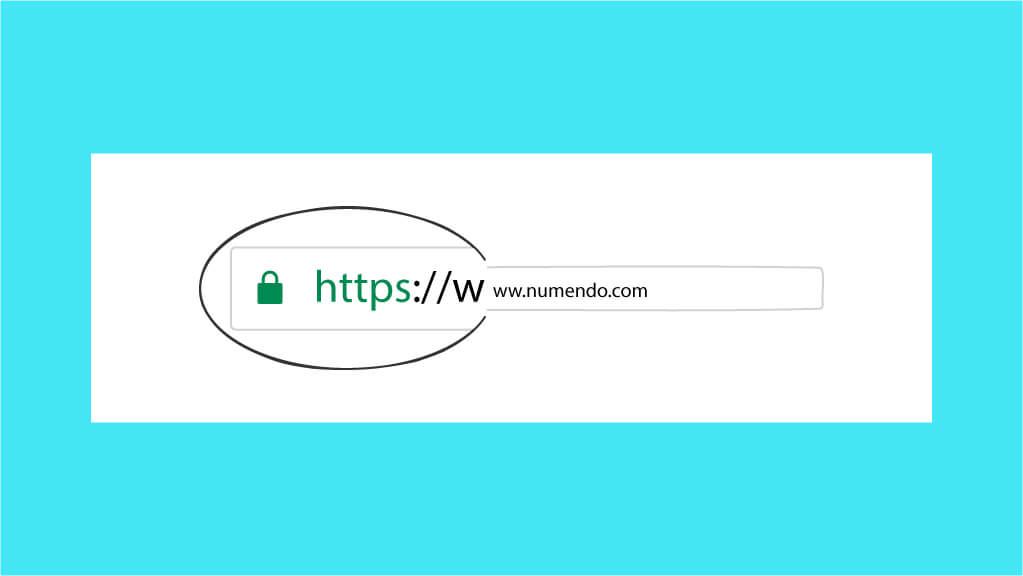
Our friends the web browsers are keen to improve our user experience. They also tend to use visual shortcuts to flag important elements to us — for example a padlock-shaped icon at the start of the URL. Can we blindly trust this indicator, and is it the only element to rely on?
You need to provide an answer to these questions for your audience in order to protect your site from phishing!
The green padlock representing SSL encryption
It would appear that users attach a great deal of importance to the security padlock shown in the address bar of web browsers. But does that make it a guarantee of security? Yes… and no! FishLabs, a company whose core business is IT security, asked itself the question. It turns out that phishing is no longer really represented by kitsch, fraud-oozing websites. Half of so-called phishing sites are considered “secure” by web browsers, and therefore use an encrypted connection. Phishing has, in effect, adapted to internet users’ behaviour.
What is worrying is that the percentage of fraudulent sites using a secure connection keeps growing. It is difficult to recognise a fraudulent site if the design has been faithfully reproduced, the text perfectly duplicated and the connection also encrypted — so how do you assert your legitimacy? Be aware, though, that there is a platform called PhishTank that lists sites reported as such; do feel free to contribute to this platform if you come across one. Web browsers also tend to wrongly suggest that you should steer clear of sites whose connection is not secure. You have perhaps already seen a page blocking you and asking you to accept before continuing to a website?
But what actually is secure encryption (TLS or SSL)?
The purpose of the little padlock-shaped favicon is to indicate to users that their connection is secure. Indeed, if it has never struck you at first glance, that is because this secure link is fairly transparent. It relies on secure encryption — in this case SSL encryption, or Secure Sockets Layer in full. The SSL protocol is the predecessor of the TLS protocol (Transport Layer Security), which represents the security layer of your connection. TLS is therefore a newer version of the SSL protocol. We should expect security standards to keep evolving; soon, SSL certificates may no longer be enough to be seen as “secure enough” by your browser, which will most likely require a TLS certificate. Watch this space!
HTTPS: sending encrypted packets
To understand how SSL encryption works, you need to understand that there are two actors involved.
Diagram showing packet encryption by the HTTPS protocol.
The first actor is the HTTPS client, in other words your web browser. Through this browser, you will formulate a request (hence the name HTTP/HTTPS request), which will be transmitted by other protocols to the second actor in our diagram.
The second actor is the web server hosting the service your browser is requesting. It will respond to the request you made and send you a reply in the form of an encrypted packet.
And that is all? No, that is the simplified version! If the HTTPS protocol is said to be encrypted, it is because there is encryption of the packet — that is, of the message in transit. Encryption is carried out using an SSL certificate, which is issued by a certification authority. Its role is to verify that you really are the administrator of the domain name you wish to use. Note that there are several types of SSL certificate, including the named SSL certificate used, for example, by PayPal.
This type of certificate makes it possible to demonstrate your legitimacy when using your domain name, because your name is displayed alongside the little green padlock. Of course, to achieve this you have to provide administrative documents evidencing your entity. Although it is possible to find SSL certificates free of charge, it is preferable to opt for more “premium” certificates. When you obtain your SSL certificate, you receive a public key as well as a private key. As its name suggests, the private key must not be disclosed; it is used to decrypt the messages received. Conversely, during an exchange between the web browser and the server, each party’s public keys are exchanged. The role of the public key is to encrypt a message, while the private key makes it possible to decrypt that message. So when A wants to send a message to B, A uses B’s public key to encrypt the message. As a result, only B can decrypt the message using their private key.
A secure connection that is not as reliable as it seems
In reality, SSL encryption is genuinely necessary when submitting a form. That way, if a malicious individual uses a packet sniffer and intercepts your exchange, they will not be able to decrypt the message. If you have understood how SSL encryption works, you know that it is simply a method for encrypting the messages sent during an exchange. However, nothing guarantees that the website you are exchanging with is trustworthy. It is a conflation: you can perfectly well have an encrypted, secure exchange with a fraudulent site. So all you will have is the certainty that if someone places themselves between that site and you, they will not be able to read your exchanges.
How do you assert your legitimacy and avoid phishing?
Monitor regularly and manage your online reputation
To do this, you can first set up Google Alerts on your company name, which will help you manage your brand image better by knowing exactly who is talking about you and when.
In addition, if you have not already done so when registering your domain name, remember to lock down the available domain names similar to your own. To do this, you can register the domain names that differ in terms of:
- the extension (.com, .fr and other extensions) — but be careful not to use extensions reserved for a particular type of organisation.
- the spelling: this could be a missing or extra letter, or even your domain name separated by a hyphen.
It is also possible to call on a specialist company such as CompuMark, which, for a fee, will take care of monitoring your brand and its domain names.
You can also optimise your branding by running email campaigns to inform your audience. This will also allow you to point your audience to the correct address for your website through calls to action.
Like some banks, you can also warn your users through awareness campaigns: “We will never ask you for…”.
Set up a permanent redirect from HTTP to HTTPS
A quick SEO tip: set up a permanent (301) redirect from your domain name to your HTTPS version. This simple quick win will allow you to:
optimise your organic search performance, because your website will then be available at one single address avoid being penalised by search engines for duplicate content improve the user experience by avoiding confusion for the visitor: “why are these two sites the same but one is secure and the other is not?”
To do this, you need to access the .htaccess file at the root of your website, or the vhost configuration, and specify a full redirect from HTTP to HTTPS. In concrete terms, your website’s server will detect which port you are connecting from (port 80 for HTTP and port 443 for HTTPS), then redirect to the HTTPS version of the site. Note that it is also possible to redirect HTTP to HTTPS using certain plugins configurable directly from your website’s back office.
Setting up a permanent redirect for Nginx:
server { listen 80; server_name signup.mysite.com; rewrite ^ https://$server_name$request_uri? permanent; }
Setting up a permanent redirect for Apache
From the .htaccess fileRewriteEngine On RewriteCond %{HTTPS} off RewriteCond %{HTTP_HOST} ^www\.domain\.com RewriteRule (.*) <https://www.domain.com>%{REQUEST_URI} [L,R=301]
From the vhost
ServerName www.example.com Redirect permanent / <https://secure.example.com/>
Finally, to conclude, HTTPS is a leading SEO criterion to prioritise, just like structured data. We hope this article has helped you better understand how SSL certificates work and that you will now stay more vigilant when it comes to phishing.